

In the same room, there are two kids, one a nine-year-old and the other a sixteen-year-old. While it is clear that it does not work, many schools usually use such teaching approaches, which they would not like to admit. This happens because someone copied a lesson meant for a specific age group from another teacher and handed it to everyone else. But what a robotics curriculum for schools should have is a backbone, which will grow with the students instead of just repeating the same thing under different names.
Grade-Wise Structure Matters in Robotics Curriculum for Schools
Hand a nine-year-old a microcontroller before they’ve built any physical sense of how machines behave, and you’ll mostly get frustration, not learning. Hand a seventeen-year-old the same unplugged sorting game a Grade 4 class does, and you’ve wasted their time in the opposite direction. A good robotics curriculum by grade treats each stage as groundwork for the one after it, never a fixed unit dressed up with bigger words each time it repeats.
The Grade-Wise Progression
Real robotics learning for students doesn’t look the same at nine as it does at sixteen, which is exactly why this progression matters.
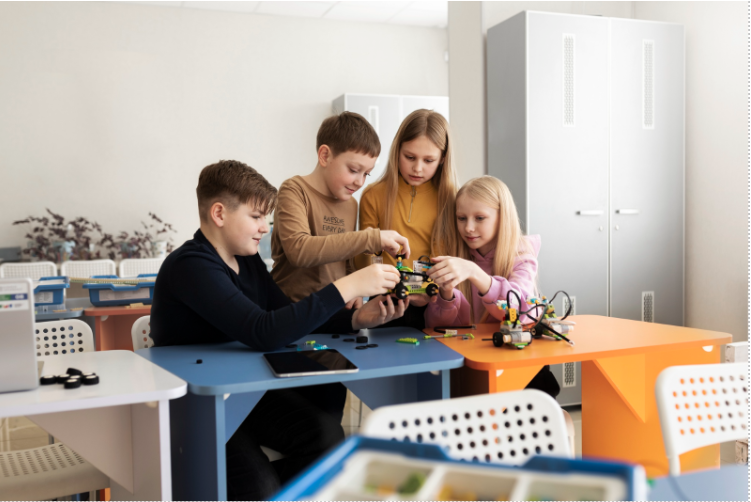
Grades 3-5: Building the Foundations
Nothing technical needs to happen at this age, and honestly, trying to force it usually backfires. What actually matters is the thinking underneath robotics: sequencing, cause and effect, the kind of basic problem-solving that comes from building and testing physical things with your own hands. A few things that tend to work here:
- Simple mechanical builds, gears, levers, basic structures, that show a kid machines follow rules they can figure out
- Unplugged direction-following games, one student guiding another through a maze using nothing but a fixed set of commands
- Hands-on sorting and pattern activities that quietly build the same logic robots run on later, no screen required
Grades 6-8: Sensors and First Real Coding
A block on a screen. Drag it, drop it, and a robot across the room actually moves. That’s usually the moment this age group stops treating robotics as an abstract idea. No real syntax needed yet, just cause and effect made visible. Sensors join in around here too: light, distance, touch, and there’s a specific look on a kid’s face the first time a robot reacts to something happening around it instead of just marching through a script somebody wrote for it in advance.
Near the tail end of this stage, text-based coding can start sneaking in. Small doses. Heavily guided. Nowhere close to being handed over wide open just yet.
Grades 9-12: Automation, AI and IoT
By secondary level, a robotics coding curriculum can get considerably more ambitious. Students working with real microcontrollers and actual code start building systems that combine sensing, decision-making and action, a line-following robot with genuine feedback correction, say, rather than a fixed pre-set path.
A few directions this stage tends to open up:
- Automation concepts, understanding how a factory line or a simple home system runs on sensors and logic without constant human input
- IoT projects, a device or robot that reports data over a network, tying robotics to the wider tech landscape students already live inside
- AI-robotics integration, for students with stronger AI grounding, a robot using a trained model to recognise something before acting on it
Curriculum at a Glance
Grade band | Focus | Typical tools |
3-5 | Sequencing, cause and effect, basic mechanics | Unplugged activities, simple mechanical kits |
6-8 | Sensors, block-based programming, first robot control | Block-coding platforms, basic sensor kits |
9-12 | Microcontrollers, automation, AI-robotics integration | Text-based coding, sensor and actuator systems |
Projects Worth Building at Each Stage
Grade band | Project idea |
3-5 | A simple mechanical structure that moves via a hand crank or basic lever |
6-8 | A robot that follows a line or reacts to an obstacle using one or two sensors |
9-12 | A sorting robot, an automated watering system, or a simple AI-assisted vision project |
Learning Outcomes and Assessment
Assessment works better tied to what a student can actually demonstrate than to a written test on terminology alone.
- By the end of Grades 3-5, a student should explain how a simple mechanism works and predict what happens if one part changes.
- By the end of Grades 6-8, building and explaining a working sensor-based robot, even a modest one, is a reasonable bar.
- At the end of a student’s senior secondary education, the student should conceptualize, create and fix a small automated system while not just explaining what it does but also why it works as it does.
A simple demonstration with explanation of design decisions usually shows more about real knowledge than just passing tests on names of components.
Fitting This Into Existing Coursework
A robotics curriculum for school students doesn’t need its own standalone department to work well. It tends to integrate cleanly alongside existing science and computing coursework, mechanics concepts reinforcing physics lessons, basic coding reinforcing whatever computer science already gets taught elsewhere.
Mapping the curriculum against a school’s existing board syllabus, rather than treating robotics as a bolted-on, disconnected activity, tends to produce far stronger retention than an isolated after-school club usually manages on its own.
Where Makers’ Muse Fits In
Makers’ Muse builds its robotics coding curriculum around exactly this kind of grade-wise progression, mapped against existing school boards and paired with teacher training, so schools aren’t left piecing this structure together on their own.
FAQs
In the same room, there are two kids, one a nine-year-old and the other a sixteen-year-old. While it is clear that it does not work, many schools usually use such teaching approaches, which they would not like to admit. This happens because someone copied a lesson meant for a specific age group from another teacher and handed it to everyone else. But what a robotics curriculum for schools should have is a backbone, which will grow with the students instead of just repeating the same thing under different names.
Why Grade-Wise Structure Actually Matters
Hand a nine-year-old a microcontroller before they’ve built any physical sense of how machines behave, and you’ll mostly get frustration, not learning. Hand a seventeen-year-old the same unplugged sorting game a Grade 4 class does, and you’ve wasted their time in the opposite direction. A good robotics curriculum by grade treats each stage as groundwork for the one after it, never a fixed unit dressed up with bigger words each time it repeats.
The Grade-Wise Progression
Real robotics learning for students doesn’t look the same at nine as it does at sixteen, which is exactly why this progression matters.
Grades 3-5: Building the Foundations
Nothing technical needs to happen at this age, and honestly, trying to force it usually backfires. What actually matters is the thinking underneath robotics: sequencing, cause and effect, the kind of basic problem-solving that comes from building and testing physical things with your own hands. A few things that tend to work here:
- Simple mechanical builds, gears, levers, basic structures, that show a kid machines follow rules they can figure out
- Unplugged direction-following games, one student guiding another through a maze using nothing but a fixed set of commands
- Hands-on sorting and pattern activities that quietly build the same logic robots run on later, no screen required
Grades 6-8: Sensors and First Real Coding
A block on a screen. Drag it, drop it, and a robot across the room actually moves. That’s usually the moment this age group stops treating robotics as an abstract idea. No real syntax needed yet, just cause and effect made visible. Sensors join in around here too: light, distance, touch, and there’s a specific look on a kid’s face the first time a robot reacts to something happening around it instead of just marching through a script somebody wrote for it in advance.
Near the tail end of this stage, text-based coding can start sneaking in. Small doses. Heavily guided. Nowhere close to being handed over wide open just yet.
Grades 9-12: Automation, AI and IoT
By secondary level, a robotics coding curriculum can get considerably more ambitious. Students working with real microcontrollers and actual code start building systems that combine sensing, decision-making and action, a line-following robot with genuine feedback correction, say, rather than a fixed pre-set path.
A few directions this stage tends to open up:
- Automation concepts, understanding how a factory line or a simple home system runs on sensors and logic without constant human input
- IoT projects, a device or robot that reports data over a network, tying robotics to the wider tech landscape students already live inside
- AI-robotics integration, for students with stronger AI grounding, a robot using a trained model to recognise something before acting on it
Curriculum at a Glance
Grade band | Focus | Typical tools |
3-5 | Sequencing, cause and effect, basic mechanics | Unplugged activities, simple mechanical kits |
6-8 | Sensors, block-based programming, first robot control | Block-coding platforms, basic sensor kits |
9-12 | Microcontrollers, automation, AI-robotics integration | Text-based coding, sensor and actuator systems |
Projects Worth Building at Each Stage
Grade band | Project idea |
3-5 | A simple mechanical structure that moves via a hand crank or basic lever |
6-8 | A robot that follows a line or reacts to an obstacle using one or two sensors |
9-12 | A sorting robot, an automated watering system, or a simple AI-assisted vision project |
Learning Outcomes and Assessment
Assessment works better tied to what a student can actually demonstrate than to a written test on terminology alone.
- By the end of Grades 3-5, a student should explain how a simple mechanism works and predict what happens if one part changes.
- By the end of Grades 6-8, building and explaining a working sensor-based robot, even a modest one, is a reasonable bar.
- At the end of a student’s senior secondary education, the student should conceptualize, create and fix a small automated system while not just explaining what it does but also why it works as it does.
A simple demonstration with explanation of design decisions usually shows more about real knowledge than just passing tests on names of components.
Fitting This Into Existing Coursework
A robotics curriculum for school students doesn’t need its own standalone department to work well. It tends to integrate cleanly alongside existing science and computing coursework, mechanics concepts reinforcing physics lessons, basic coding reinforcing whatever computer science already gets taught elsewhere.
Mapping the curriculum against a school’s existing board syllabus, rather than treating robotics as a bolted-on, disconnected activity, tends to produce far stronger retention than an isolated after-school club usually manages on its own.
Where Makers’ Muse Fits In
Makers’ Muse builds its robotics coding curriculum around exactly this kind of grade-wise progression, mapped against existing school boards and paired with teacher training, so schools aren’t left piecing this structure together on their own.
FAQs
Foundational thinking, sequencing and basic mechanics, can start as early as Grade 3. Actual coding-based robotics work usually becomes appropriate from Grade 6 onward.
No. Early grades focus on unplugged activities and simple mechanics, with block-based and later text-based coding introduced gradually as students get older.
Robotics adds a physical dimension, sensors, motors, and actuators responding to the real world, on top of programming logic, which a purely software-based coding curriculum doesn’t require.
Yes. Most schools fold it into existing science and computing coursework rather than creating a standalone department, which tends to work particularly well for smaller schools.