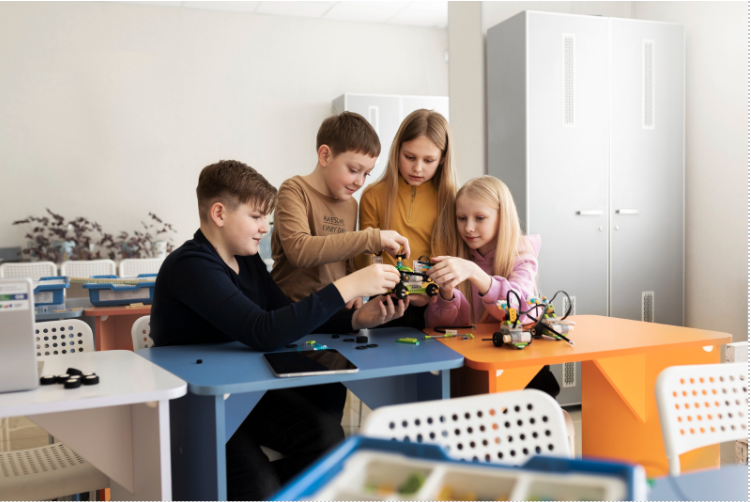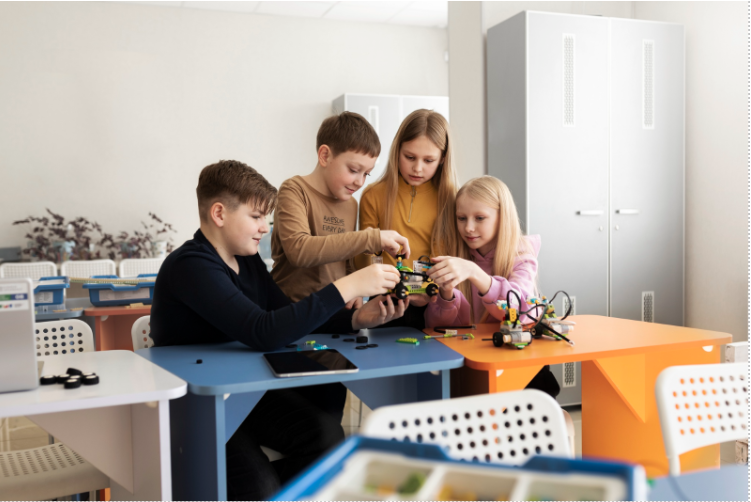


Walk into most school robotics rooms and check the drawers. Half of what’s in there hasn’t moved since delivery day. That’s rarely a hardware problem; it’s usually a buying problem: somebody flipped through a catalogue, grabbed whatever looked impressive, and never stopped to ask what a specific grade actually needed. This checklist breaks down robotics lab equipment for schools by category rather than by price tag, so what gets ordered actually matches what gets used.
Electronics and Movement in Robotics Lab Equipment for Schools
Microcontrollers and Core Electronics
The brain of most robotics hardware for schools, and worth getting right before anything else gets purchased.
- Arduino boards (Uno or similar) for foundational, beginner-friendly projects
- Micro:bit for younger students, since its built-in sensors and simple interface lower the entry barrier considerably
- Raspberry Pi for advanced, computation-heavy projects needing real processing power
- Basic breadboards and jumper wires for prototyping circuits before anything gets soldered permanently
Sensors
A robot without sensors is really just a remote-controlled toy. Sensors are what let it actually respond to its surroundings.
Sensor type | Common use |
Ultrasonic distance sensor | Obstacle detection and avoidance |
IR/light sensor | Line-following, basic light detection |
Temperature and humidity sensor | Environmental monitoring projects |
Motion/PIR sensor | Basic security or detection builds |
Sound sensor | Clap-activated or noise-triggered projects |
Motors and Movement
- DC motors handle basic movement at low cost, the default choice for most early projects
- Servo motors offer precise, controlled positioning, useful for something like a robotic arm joint
- Stepper motors suit projects needing repeatable, exact rotation
- Wheels, chassis kits and gear sets round this category out, and it’s worth stocking spares here specifically, since these parts take the most physical wear in the whole lab
Kits and Tools in Robotics Equipment for Schools
Robotics Kits for School Lab Use
Pre-assembled robotics kits for school lab settings save real setup time, especially for younger grades or teachers newer to robotics themselves.
Tier | What it includes | Best for |
Beginner | Block-programmable interface, minimal assembly | Younger students, first exposure |
Intermediate | Sensors, motors and microcontroller bundled together | Guided classroom builds |
Advanced | Full custom configuration, no fixed structure | Students past pre-set kits |
Computers and Software
Robotics lab tools on the software side matter just as much as the hardware sitting on the shelf. A functioning lab needs reliable computers, standard laptops or desktops, no specialised machine required for basic and intermediate work, plus an IDE for whatever microcontroller platform is in use, simulation software for planning builds ahead of physical assembly, and basic CAD tools once 3D-printed parts enter the picture.
3D Printing Equipment
Not so important in the initial phases, but actually beneficial as soon as learners take on the challenge of building their elements, brackets, casings, and wheel mounts. Just one dependable printer, PLA plastic in several shades, and ordinary finishing equipment such as sandpaper and a cutting knife can fulfil the vast majority of requirements at educational establishments without a need to resort to industrial-class machines whatsoever.
The Lab Environment
Storage and Organisation
Small parts vanish fast without a system, and this is the category most schools skip.
- Labelled component drawers or bins, sorted by part type rather than by project
- A charging station for rechargeable batteries, kept separate from general storage
- Individual project boxes so a half-finished build doesn’t get scavenged by someone else’s project
Furniture and Workspace
Standard classroom desks rarely suit hands-on robotics work well. Height-adjustable tables, or at minimum sturdy work surfaces, matter more than most equipment lists ever mention. A few power outlets per workstation head off the extension-cord tangle that shows up in nearly every under-planned lab, and a separate demo corner gives students somewhere to show off a finished build without disrupting whoever’s still working.
Safety Equipment
- Safety glasses for any soldering or 3D printing work
- A small fire extinguisher rated for electrical fires
- Proper ventilation wherever soldering happens regularly
- A first aid kit kept somewhere obvious, not buried in a cupboard
Replacement Parts and Spares
Equipment breaks. Wheels crack, jumper wires fray, a wiring mistake fries a sensor sooner or later. Budgeting for spares from the start, rather than treating every breakage as a surprise purchase, keeps a lab running without constant interruption. Wires, connectors, and small mechanical parts, screws, standoffs, wheels, are worth stocking in genuine excess, since these are what actually run out first.
Mapping Equipment to Grade Level
Grade band | Core equipment |
Primary (3-5) | Simple mechanical kits, basic Micro:bit-style boards, no soldering required |
Middle (6-8) | Block-programmable kits, basic sensors, beginner Arduino boards |
Secondary (9-12) | Full Arduino/Raspberry Pi setups, sensor range, 3D printing access |
Younger grades genuinely don’t need advanced hardware gathering dust in a cupboard. Match the equipment list to what’s actually being taught at each stage rather than buying the senior secondary set for every classroom in the building.
Where Makers’ Muse Fits In
Makers’ Muse helps schools source school robotics lab equipment matched to actual grade-level needs rather than a generic catalogue list, so nothing ends up sitting unused in a drawer.
FAQs
A handful of beginner-friendly boards like Micro:bit or Arduino, a few basic sensors, some motors, and simple mechanical kits cover most beginner-level activity without needing a full robotics equipment list for schools right away.
No. Many beginner kits use block-based or app-based control, letting younger students build and operate robots before any real coding gets introduced.
Small mechanical parts and wiring see the most wear and typically need replacing every term or two, while core electronics like microcontrollers usually last several years with reasonable care.
Not at the earliest stages. It becomes more valuable once students progress to designing custom parts, so many schools add it in a later phase rather than at the start.