

Most schools trying to add AI to their teaching run into the same problem fast: what actually belongs in Grade 4 versus Grade 11? Teaching the same “intro to AI” lesson to a nine-year-old and a seventeen-year-old doesn’t work, and dropping neural networks on middle schoolers without the groundwork doesn’t either.
Any workable AI education curriculum needs to progress deliberately, building concepts and tools in a sequence that actually matches how students think at each stage. This guide lays out what an AI curriculum for schools looks like, grade by grade, rather than treating it as one flat unit dropped into a single term.
Why Grade-Wise Sequencing Matters
Skip straight to the advanced stuff, and it usually backfires. A kid who’s never really gotten comfortable with basic logic or spotting a pattern is going to sit through a machine learning lesson understanding almost none of it, and that’s true no matter how well the lesson itself is put together. Each grade band needs to actually build on the one before it, not just sit next to it as a separate unit that happens to come later.
The Grade-Wise Progression
Stage | Grades | Focus | Typical tools |
Primary | 1-5 | Pattern recognition, sequencing, basic logic through play | Unplugged activities, simple block-based tools |
Middle School | 6-8 | Block-based AI concepts, data basics, first hands-on projects | Scratch, Teachable Machine, basic Python intro |
Secondary | 9-10 | Applied AI concepts, structured coding, small real projects | Python, basic ML libraries, simple datasets |
Senior Secondary | 11-12 | Model building, deeper theory, research-style projects | TensorFlow or PyTorch, Jupyter/Colab, real datasets |
Primary (Grades 1-5)
Nobody’s teaching actual AI to a six-year-old, and honestly, they shouldn’t be. What matters at this age is the thinking that everything later depends on.
- Can a kid sort a pile of objects into groups?
- Follow three steps in order without losing track?
- Spot a pattern repeating and say so out loud?
A sorting game or an unplugged exercise, no screen anywhere in sight, builds more of the right instincts than an early chatbot demo ever would. Even a word like “algorithm” sticks better taught through a recipe than through any dictionary definition a first grader has no use for.
Middle School (Grades 6-8)
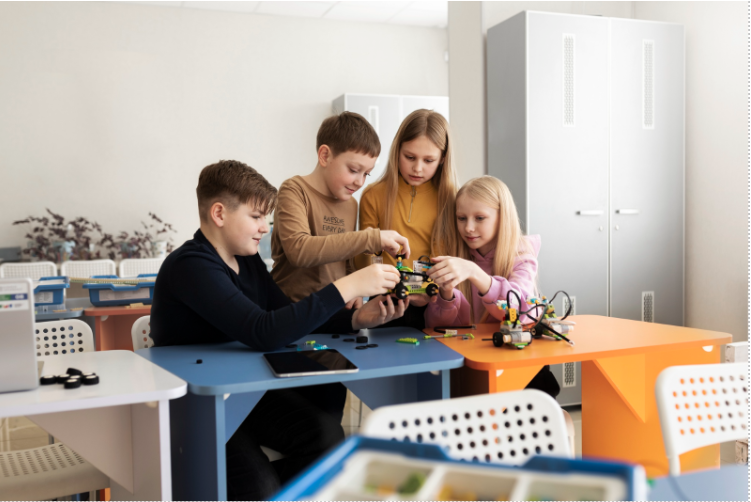
This is roughly where any real AI syllabus for schools stops being abstract. Scratch and other block-based tools give students something to actually build, rather than watch someone else build. Teachable Machine tends to work well as a next step, since a kid training a model on their own photos or sounds gets what “training” means faster than any explanation could manage. Somewhere in here, a light, tightly guided brush with Python also fits: short exercises, nothing open-ended yet.
Secondary (Grades 9-10)
By around Grade 9, real code and a bit more abstraction become fair game. Python instruction with actual structure starts earning its keep here, paired with a first honest look at what data is like in practice: what counts as clean, why a messy spreadsheet throws off a model, how a prediction even gets produced in the first place. Small, boxed-in projects work best at this stage, sorting a batch of images, guessing an outcome from a spreadsheet, rather than anything left too open.
Senior Secondary (Grades 11-12)
Assuming the earlier years actually held, this is where it pays off. TensorFlow, PyTorch, working out of Jupyter or Colab, handling a dataset that’s real even if it’s still fairly small- none of that should feel out of reach by now. It’s also roughly the point where something closer to genuine research becomes possible, since students finally have enough grounding to pick their own question and go test it, instead of filling in someone else’s worksheet.
Learning Outcomes by Level
Counting which tools got used tells you very little. What matters is what a student can actually do once a stage wraps up.
- Finish primary, and a kid should be able to name a pattern and walk through an ordered set of steps unaided.
- Finish middle school, and they ought to manage a basic interactive project, plus explain, in their own words, roughly what training a model even involves.
Get through secondary, and functional Python plus an understanding of why bad data wrecks a model should both be in place. And by the far end of senior secondary, building, training and honestly evaluating a simple model, limitations included rather than glossed over, is the mark worth aiming for.
How This Connects to the SES Curriculum
This progression isn’t something a school has to piece together alone. It’s built into how the Makers’ Muse SES programme structures its AI curriculum for schools in the first place: Grade 1 through 12, mapped against CBSE, ICSE, IB, Cambridge and IGCSE, moving deliberately from block coding in the early years through to AI and robotics later on, which is exactly the arc laid out above.
The tools used throughout, Arduino, Micro:bit, Python, Scratch, are the same open-source, industry-standard tools universities use, so there’s no vendor lock-in baked into a student’s early learning. And the progression doesn’t stop at senior secondary either.
Participants who have reached that stage can either transition to Young Scholars Research Program where they can publish their original research, or participate in Live Projects and Prototyping Projects and do actual work that is presentable in their portfolios instead of limiting themselves only to course work.
Secondary should leave a student able to write functional Python and explain, at least in outline, why messy data throws a model off. And by the end of senior secondary, a student should be able to build, train and evaluate a simple model themselves, and just as importantly, be honest about what it can’t do rather than overselling it.
Teacher Support and Implementation
A curriculum on paper doesn’t teach itself. A few things that make the difference between a plan that works and one that stalls:
Instead of attending a workshop that includes everything in one session, teachers should have training associated with the grades they teach. A kindergarten teacher cannot use a program such as PyTorch, while a teacher in senior secondary requires more than just knowledge of block coding.
All classes should not be implemented in one go. And progress should be checked against real student work, a working project, a short explanation, a small model, rather than only a written test, since AI learning for students shows up more clearly in what they can build than in what they can recite.
Where Makers’ Muse Fits In
The curriculum Makers’ Muse actually runs with schools follows roughly this same shape: an AI curriculum for schools mapped across Grades 1 to 12 against CBSE, ICSE, IB, Cambridge and IGCSE, with teacher training happening before students ever see it, not scrambled together afterwards.
Good AI education for school students shouldn’t depend on one school building this progression alone from scratch, and it sits inside the broader STEM lab setup a school already has or is putting together, rather than showing up as a bolt-on extra.
FAQs
Earlier than most people assume, honestly. The foundational thinking, pattern recognition, and basic logic can start as early as Grade 1 through unplugged activities. Coding-based AI concepts tend to work better once students hit Grade 6 or so.
Not at all. Plenty of genuine AI understanding gets built in primary and early middle school without a single line of code, through block-based tools and unplugged exercises alone.
Coding curricula are about programming skill in general. An AI curriculum by grade adds something on top of that: how models actually learn from data, how they make predictions, and where those predictions tend to go wrong.
At the primary and early middle school stages, yes. Free platforms and cloud-based tools cover most of what’s needed until students reach the coding-heavy senior secondary stage, where more infrastructure starts to matter.