

Ask a student to “build an AI project” and you’ll usually get a blank stare, or worse, a half-finished chatbot copied from a tutorial with no idea how any of it works. The gap between wanting to try AI projects for students and actually knowing where to start is bigger than most guides admit. This one’s meant to close that gap, sorting real AI projects for students by what a learner can actually pull off at each stage, not just a list of buzzwords.
Why Project Selection Matters More Than the Tutorial
A student who jumps straight into building a neural network from scratch, having never worked with a dataset before, usually ends up frustrated and copying code they don’t understand. That’s not really learning.
Good project selection matches the difficulty to what a student already knows, and lets the next project stretch them just a bit further than the last one did. This is really the whole point of sorting artificial intelligence projects for students by level rather than handing every student the same list.
Beginner Projects
Grades 6-8, roughly, though a sharp younger student can handle a couple of these too. Nothing here needs much prior coding.
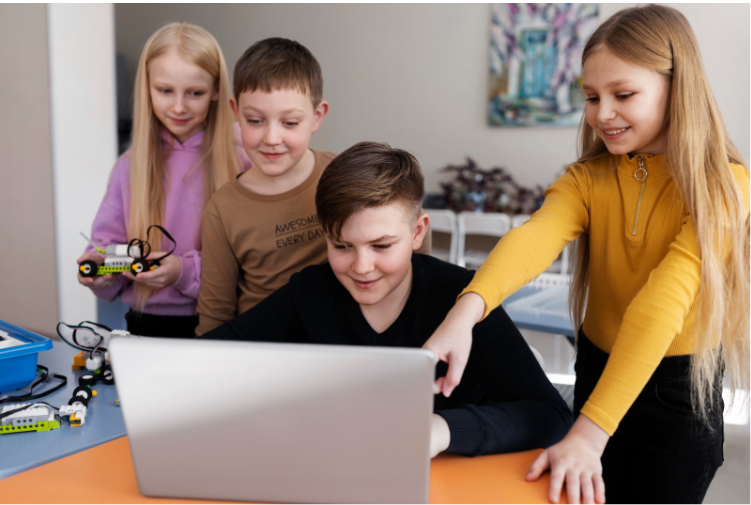
- Start with a simple classifier. Two piles of photos, cats and dogs, say, or apples and oranges, sorted using something like Teachable Machine. There’s barely any code involved, and that’s sort of the point, it gets the idea of classification into a student’s head before the syntax gets in the way.
- Then there’s the rule-based chatbot, which is a bit of a cheat in the best sense. It’s not actually understanding anything, just matching keywords and spitting back a pre-written line, but a twelve-year-old showing this off to their parents doesn’t care, and underneath that trick is the same conditional logic that every more serious system uses later.
- Data visualisation gets overlooked constantly, probably because charts sound boring next to “AI.” Grab a small public dataset, weather records, cricket scores, whatever’s lying around, and turn it into something readable. Not exciting on its own, sure, but every single project further down this list leans on the habits it builds.
Intermediate Projects
Basic Python feels comfortable, a project or two is already done, and now things get a bit more interesting.
- Computer vision is usually the next stop. Spot a face in a photo. Count how many objects are in a frame. Catch a hand gesture through a webcam. OpenCV makes it far less painful than the words “computer vision” make it sound, and the first time it actually works, there’s a specific kind of surprised delight that’s hard to fake.
- A genuine NLP chatbot builds on the earlier rule-based one, except now it’s handling actual intent recognition instead of keyword matching. This is usually the point where a student realises language is a genuinely hard problem for a machine, in a way that’s much easier to grasp by hitting the wall themselves than by being told.
- Predictive models round this tier out. Feed a model a spreadsheet, exam scores against hours studied, house prices against square footage, and build something that guesses at an outcome. The prediction itself matters less than the second half of the lesson: learning to ask whether that prediction should actually be trusted.
Advanced Projects
Solid Python, some real ML grounding, and enough time for something that runs weeks rather than an afternoon. That’s the baseline for this tier.
- Custom computer vision work belongs here, training a model on a student’s own dataset rather than someone else’s pre-trained one. Recognising specific plant diseases from leaf photos, or handwritten characters in a regional script, are both good examples that go well past copying a tutorial.
- AI for social good is where the most compelling advanced work tends to show up. A model flagging water contamination risk from sensor readings. A tool spotting early signs of crop disease. An app helping a visually impaired user navigate a space using object detection. None of these are harder to build than the vision project above, but they carry a weight the others don’t, because there’s an actual person on the other end who’d benefit.
- And then there’s research-style work, which shifts the whole framing from “build something that runs” to “test a real question.” Comparing two model architectures head to head, digging into where bias creeps into a dataset, figuring out exactly where and why a model’s predictions fall apart. This is closer to what real published research looks like than a typical school assignment ever gets.
Matching Projects to Grade Level
Grade band | Suggested project type | Typical skills built |
6-8 | Simple classifiers, rule-based chatbots | Logical thinking, basic tool use |
9-10 | Computer vision basics, NLP chatbots, predictive models | Python fluency, data handling |
11-12 | Custom vision systems, AI for social good, research projects | Model evaluation, independent inquiry |
This table is a starting reference, not a strict rule. A strong Grade 9 student with a real interest can absolutely handle an intermediate-to-advanced project if the groundwork is there, and plenty of good AI projects for students don’t fit neatly into one row anyway.
The Prototype Journey: From Idea to Working Demo
Most successful student AI projects for students follow a similar arc, whatever the specific idea. It starts with a genuinely narrow question, not “build an AI that helps farmers” but “can this model tell healthy leaves from diseased ones in these fifty photos.” From there comes gathering or finding a small, workable dataset, since an oversized dataset just slows a first attempt down.
A rough first version comes next, ugly, barely working, but real. Only after that does refinement make sense: better data, tuned parameters, cleaner code. The final stage is documentation: what worked, what didn’t, and what would be tried differently next time. Skipping that last step is probably the single most common mistake in student AI project ideas that otherwise had real potential.
Skills Students Actually Walk Away With
Beyond the specific technology, these projects tend to build things that transfer well beyond AI itself: framing an ambiguous problem into something testable, tolerating a dataset that refuses to cooperate, explaining a technical result to someone non-technical, and being honest about a model’s limitations instead of overselling what it can do.
How These Ideas Map to the SES Programme
Everything above is a starting point, but a one-off project sitting on a laptop is different from one that turns into a real, verified body of work. Inside the Makers’ Muse STEM Enabled School (SES) programme, ideas at each tier feed into three structured pathways, not just a school assignment that gets graded and forgotten.
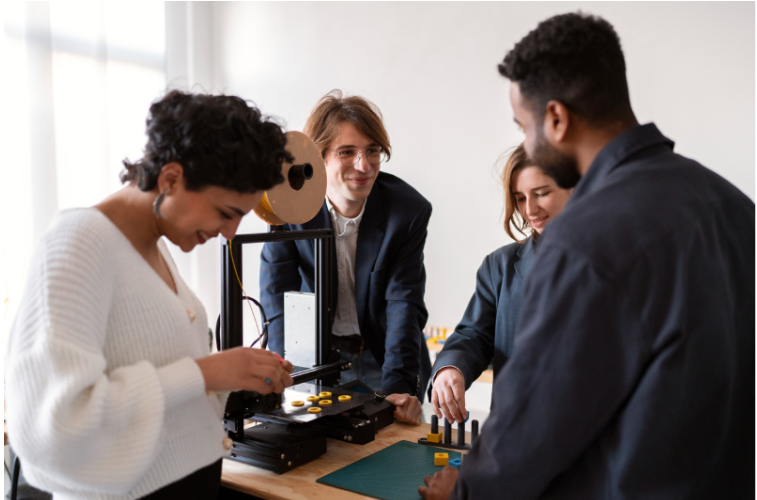
- An intermediate or advanced project like a computer vision build or an IoT-based sensor system fits naturally into Prototyping Projects, where students design and build a real working prototype, smart systems, 3D-printed builds, AI-powered products among them, guided by a mentor from the initial concept through to an actual showcase event. The portfolio that comes out the other end includes photos, code, and real test data, not just a write-up.
- A student whose interest leans more toward research than product-building, the kind drawn to the research-style projects described above, has a direct path through the Young Scholars Research Program (YSRP), which walks students through the complete life cycle of original research, from picking a topic to seeing their name in an actual peer-reviewed publication.
- And for students who want to work on something bigger than a solo assignment, Live Projects places them on real professional teams working on live platforms, YouTube channels, ecommerce stores, apps, digital marketing campaigns, with real roles, real deliverables, and real deadlines, exiting with a verified portfolio and certificate rather than just a grade.
Framed this way, the beginner-to-advanced ladder in this guide isn’t just a way to pick a school project. It’s the on-ramp into a much larger structure most students never realise exists until a teacher points it out.
Where Makers’ Muse Fits In
Whether a student’s just starting out with beginner AI projects for kids or ready for research-grade work, Makers’ Muse supports the full range through the SES programme’s Prototyping Projects, Live Projects, and YSRP tracks, built inside the same lab infrastructure a STEM Enabled School already runs on.
FAQs
A simple image classifier using a tool like Teachable Machine works well, since it introduces core classification concepts without requiring much coding experience up front.
Not usually. Most beginner and intermediate projects run fine on a standard laptop, and free platforms like Google Colab provide cloud GPU access when a project needs more power.
Beginner projects can wrap up in a few hours to a week. Advanced projects, especially research-style ones, often run several weeks to properly develop and document.
Yes, at the beginner and intermediate levels. Deeper mathematical understanding becomes more useful for advanced, research-oriented projects, but it’s not a barrier to getting started.