
STEM Education Using Project-Based Learning –Top 5 Classroom Ideas
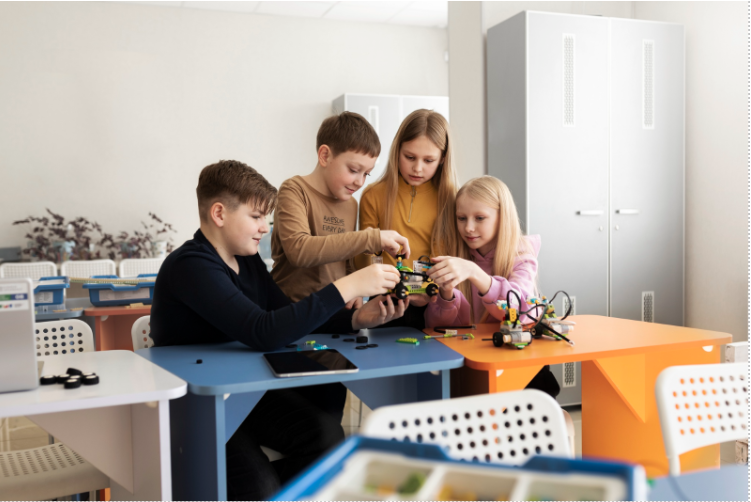
STEM education is about moving beyond memorisation and encouraging students to think, create, and solve real-world problems. Project-based learning is one of the most effective ways to deliver STEM education in classrooms, as it allows students to apply concepts through hands-on activities. These projects help students connect theory with practice while building critical thinking, creativity, and problem-solving skills.
5 STEM Classroom Project Ideas
Here are 5 STEM education project ideas that we can easily implement in the classroom.
1. Interactive Quiz Project
Concept: Students create a quiz system with questions, answers, and scoring.
STEM Learning:
- Logical reasoning
- Decision making
- Data handling
How to make the project:
- Start by creating a list of questions and multiple-choice answers
- Design a way for the system to display one question at a time
- Add logic to check whether the selected answer is correct or incorrect
- Create a scoring system that increases when the answer is correct
- Add feedback messages such as “Correct” or “Try again”
- Use Scratch or Blockly to connect all elements using visual blocks such as conditionals, variables, and events
- Test the quiz and refine the flow to make it smooth and interactive
What do you need?
- Scratch or Blockly
- Computer or tablet
- Question bank (science, mathematics, general knowledge)
- Basic familiarity with block-based coding
Classroom Use: It can be used for any subject, such as science or mathematics, to reinforce learning through interactive assessment.
2. Calculator-Based Project
Concept: Students design a simple system that performs basic mathematical operations.
STEM Learning:
- Arithmetic concepts
- Logical sequencing
- Input and output handling
How to make the project:
- Create input fields where users can enter numbers
- Add options for operations such as addition, subtraction, multiplication, and division
- Build logic to perform calculations based on selected operations
- Display the result clearly on the screen
- Include validation to handle incorrect inputs
- Use Scratch or Blockly to connect inputs and operations using blocks such as operators, variables, and events
- Test different inputs to ensure accuracy
What do you need?
- Scratch or Blockly
- Computer or tablet
- Basic maths concepts
- Input output components in the platform
Classroom Use: It helps students understand how mathematical operations are used in real-world applications.
3. Animated Storytelling Project
Concept: Students create an animated story with characters, dialogues, and scenes.
STEM Learning:
- Sequencing
- Creativity and logical thinking
- Event-based logic
How to make the project:
- Create a storyline with a beginning, middle, and end
- Design or choose characters and backgrounds
- Add dialogues and time them appropriately
- Use sequencing to ensure scenes follow the correct order
- Include events such as clicking or key presses to trigger actions
- Add motion, sounds, and transitions to make the story engaging
- Use Scratch or Blockly to control animations using events, loops, and broadcast actions
- Review the story flow and adjust timing for better presentation
What do you need?
- Scratch or Blockly
- Computer or tablet
- Story script or idea
- Images or characters within the platform
Classroom Use: It can be used in language classes while also introducing computational thinking.
4. Maze Navigation Project
Concept: Students design a maze that a character must solve by finding the correct path.
STEM Learning:
- Problem solving
- Spatial awareness
- Logical reasoning
How to make the project:
- Draw or design a maze layout
- Create a character that can move in different directions
- Add controls for movement, such as arrow keys or button clicks
- Program boundaries so the character cannot pass through walls
- Add a start and finish point
- Include logic to detect when the maze is completed
- Use Scratch or Blockly to apply conditions, loops, and motion blocks
- Test the maze for difficulty and adjust accordingly
What do you need?
- Scratch or Blockly
- Computer or tablet
- Maze design (digital or drawn)
- Basic understanding of conditions and loops
Classroom Use: It encourages students to think step by step and develop structured solutions.
5. Weather Simulation Project
Concept: Students create a system that represents different weather conditions.
STEM Learning:
- Scientific concepts
- Conditional logic
- Simulation modelling
How to make the project:
- Identify different weather conditions, such as rain, sunshine, and storms
- Create visuals or animations for each condition
- Add logic to switch between weather types based on conditions
- Include interactive elements such as buttons to change the weather
- Add sound effects like thunder or rain for realism
- Use Scratch or Blockly to create simulations using condition blocks, variables, and events
- Test transitions between different weather states for smoothness
What do you need?
- Scratch or Blockly
- Computer or tablet
- Basic knowledge of environmental science
- Visual elements like images or icons for the weather
Classroom Use: It helps students understand environmental science through visual representation.
How do these Projects Support STEM Education?
These STEM education projects help to:
- develop critical thinking and logical reasoning
- encourage creativity and innovation
- improve collaboration and communication
- build problem-solving skills
- connect classroom concepts with real-world applications
Tips for Teachers
Teachers should:
- start with simple projects and gradually increase complexity
- encourage experimentation and allow mistakes
- link projects with classroom subjects
- promote group-based learning
- use real-world scenarios to enhance understanding
Conclusion
STEM education through project-based learning is a powerful approach to modern teaching. These projects help students explore ideas, apply concepts, and build essential skills. By working on real-world inspired activities, students develop confidence, curiosity, and a strong foundation for future learning. This approach ensures that STEM education is not just theoretical, but meaningful and impactful.
Ready to bring hands-on STEM education into your classroom? Explore Makers’ Muse STEM labs, robotics kits, and learning programs designed to make students future-ready.
Click here to discover how we can transform your classroom into an innovation hub today.