

Best DIY Tinkercad Alarm System: How to Build an Alarm System Using a Buzzer & PIR Motion Sensor
Introduction
Technology becomes meaningful for students when they can see it working in front of them. Instead of only learning theory, building small systems helps learners understand how real-world technology functions. A DIY Tinkercad Alarm System is a perfect beginner-level project that introduces students to electronics, sensors, and coding simply and engagingly. This project focuses on creating an alarm system using an Arduino board, a PIR motion sensor, and a buzzer, all inside the Tinkercad simulation environment.
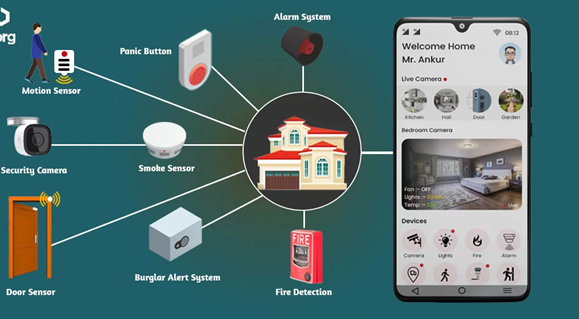
The biggest advantage of this project is that it does not require any physical hardware. Everything is built and tested online, making it safe and accessible for classrooms, computer labs, and even home learning. When motion is detected near the sensor, the buzzer sounds an alarm, similar to a real home security system. Through this activity, students learn how automated systems respond to changes in their surroundings. It also helps them connect classroom concepts to real-life applications, which increases interest and curiosity in STEM subjects.
Understanding the Technology Behind the System
The DIY Tinkercad Alarm System uses basic electronic components that are commonly found in beginner Arduino projects. Tinkercad is the platform where the entire system is designed. It provides a visual workspace where students can place components, connect wires, and write code. This visual approach makes learning less intimidating and more interactive, especially for beginners who are new to electronics.
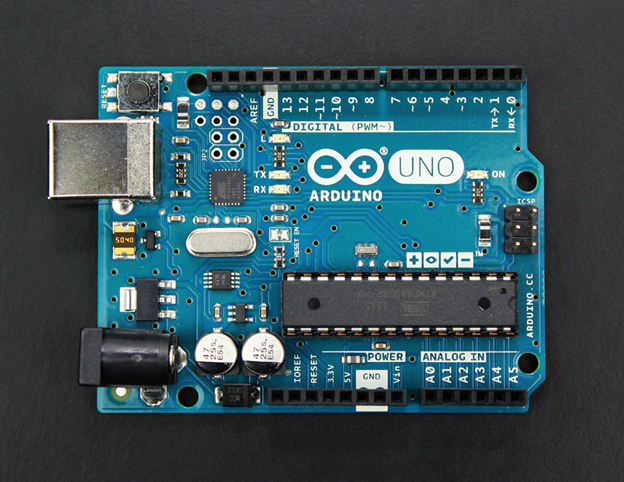
The Arduino Uno acts as the brain of the system. It processes input signals from the PIR motion sensor and controls the buzzer based on the instructions written in the program. Students learn that Arduino is not just a board but a programmable controller that follows logic written in code.
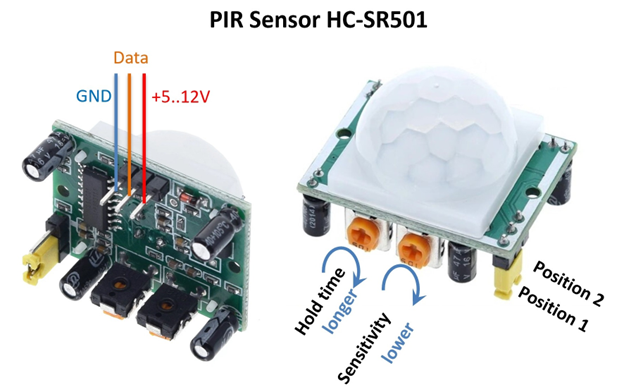
The PIR motion sensor plays a very important role in this project. It detects movement by sensing changes in infrared radiation, which is usually caused by the heat from a human body. When motion is detected, the sensor sends a signal to the Arduino. The buzzer is the output device that produces sound when activated. Together, these components demonstrate how input, processing, and output work in an automated system.
Designing the Alarm System in Tinkercad
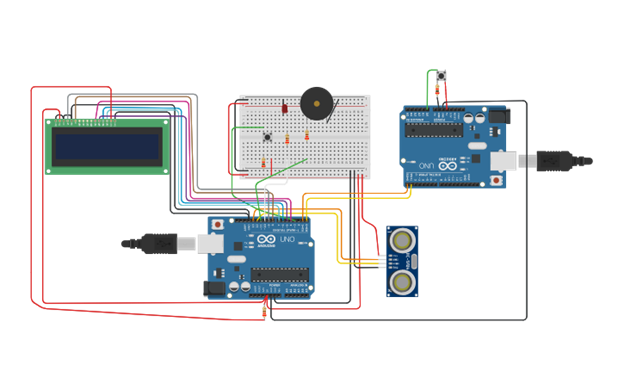
Step 1: Create the Circuit in Tinkercad
- Open Tinkercad and start a new circuit.
- Add an Arduino Uno, PIR motion sensor, and buzzer.
- Connect:
- PIR VCC → Arduino 5V
- PIR GND → Arduino GND
- PIR OUT → Arduino digital pin (example: pin 2)
- Buzzer positive → Arduino digital pin (example: pin 8)
- Buzzer negative → Arduino GND
Step 2: Write the Arduino Code
The code checks if the PIR sensor detects motion.
- If motion is detected → buzzer turns ON
- If no motion → buzzer remains OFF
This helps students understand conditional logic, digital input, and digital output.
Step 3: Run the Simulation
Once the code is uploaded:
- Click Start Simulation
- Move the virtual object near the PIR sensor
- The buzzer will sound when motion is detected
This confirms that the alarm system is working correctly
Observing the Results and System Output
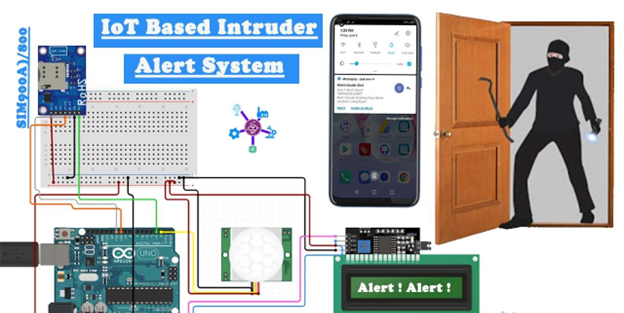
Once the project is running, students can observe how the alarm system behaves in different situations. When motion is detected, the buzzer sounds continuously or for a fixed duration, depending on the code. When there is no motion, the system stays silent. This clear cause-and-effect behaviour helps students understand automation.
Students can also experiment by changing delay values in the code or adjusting how long the buzzer stays on. These small modifications help them understand how software controls hardware behaviour. Seeing immediate results builds confidence and encourages students to explore more advanced ideas.
Learning Outcomes from the Project
This DIY Tinkercad Alarm System helps students develop both technical and thinking skills. They learn how electronic components communicate with each other and how code controls physical actions. The project strengthens logical thinking because students must decide what should happen when motion is detected. It also improves problem-solving skills when they debug connections or code errors.
Beyond technical learning, the project boosts confidence. Many students feel nervous when working with electronics for the first time. Completing a working alarm system shows them that technology is not difficult and that they are capable of building real systems.
Advantages of the DIY Tinkercad Alarm System
One of the main advantages of this project is its simplicity. It is easy for beginners to understand and does not require prior knowledge of electronics. Since everything is done online, there is no risk of damaging components or getting hurt. The project is cost-effective and can be used by schools with limited resources.
Another advantage is its flexibility. Teachers can easily modify the project to match different learning levels. Additional components such as LEDs or multiple sensors, can be added to create advanced versions. The project also encourages creativity and experimentation, making learning enjoyable rather than stressful.
Limitations of the Project
Although the DIY Tinkercad Alarm System is excellent for learning, it does have some limitations. Since it is a simulation, it does not fully represent real-world conditions. Physical factors such as sensor sensitivity, noise, and power fluctuations are not experienced. Students also need internet access to use Tinkercad, which may not always be available.
The project also focuses on basic security concepts and does not include advanced features such as mobile notifications or cameras. However, these limitations are acceptable for a beginner-level educational project.
Real-World Applications and Extensions
This alarm system helps students understand how real home security systems work. It can be used as a school project, a science exhibition model, or an introduction to automation and Internet of Things concepts. Teachers can encourage students to extend the project by adding LEDs, timers, or multiple PIR sensors to create a complete security setup.
Students can also explore how similar systems are used in offices, street lighting, and automatic doors. These connections help them realize that the concepts they learn in class are used widely in everyday life.
Conclusion
The DIY Tinkercad Alarm System is a simple yet powerful project that introduces students to electronics, sensors, and basic programming in a practical way. By building an alarm system using a PIR motion sensor and a buzzer, learners understand how motion detection and automation work in real life. The use of Tinkercad makes the process safe, interactive, and accessible for all students.
This project not only teaches technical skills but also builds confidence, creativity, and curiosity. It prepares students for future learning in robotics, electronics, and engineering while keeping the experience fun and engaging. For schools that want to promote hands-on STEM learning, the DIY Tinkercad Alarm System is an excellent choice that turns ideas into real, working solutions.